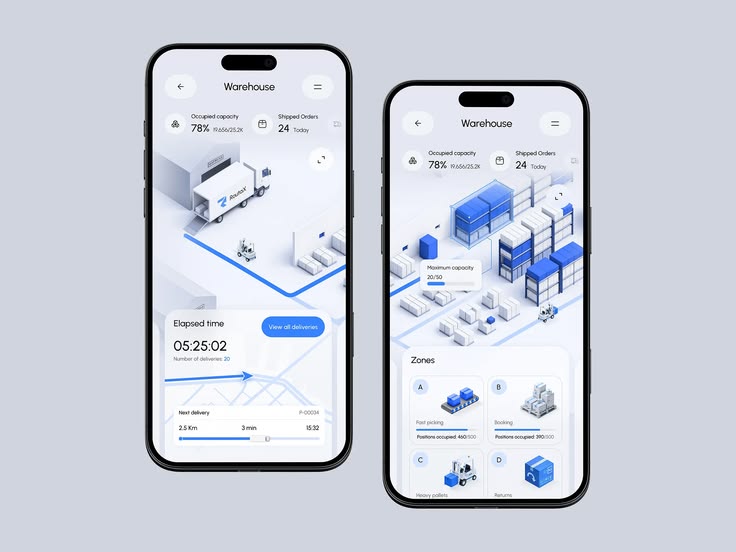
Plywood distribution runs on relationships and phone calls, a dealer calling to check if a size is in stock, a distributor calling back an hour later to confirm a delivery date, someone eventually writing the order down in a register. It works, but it doesn't scale cleanly, and it leaves both sides guessing more than they should. A custom mobile app for plywood dealers is built to close that gap, giving dealers a direct, real-time way to check stock, place orders, and track deliveries without a phone call in the middle.
For plywood distributors managing a network of dealers across a region, this isn't just a convenience upgrade. It changes how quickly orders get placed and how much manual coordination the distribution team has to do for each one.
Why Phone-Based Ordering Breaks Down as a Dealer Network Grows
A distributor with a handful of dealers can manage everything over calls and WhatsApp messages without much friction. Once the network grows past a certain size, the cracks start showing. Stock information given over a call is often outdated by the time the dealer calls, since nobody's checking the register in real time before answering. Orders placed verbally sometimes get recorded incorrectly, wrong size, wrong quantity, wrong dealer account. And dealers calling repeatedly just to check on delivery status ties up staff time that could be spent on actual sales and relationship work.
None of this is a training problem. It's what happens when order-taking depends entirely on someone picking up a phone and manually cross-checking a paper or spreadsheet-based stock register in real time.
The common problems are straightforward:
• Dealers don't always have access to current stock information
• Verbal orders can introduce size and quantity errors
• Delivery status questions consume support staff time
• Printed or verbally quoted prices can become outdated
• Credit and payment information often requires a separate call to accounts
• Growing dealer networks increase manual coordination disproportionately
What a Custom Plywood Dealer App Actually Does
Real-Time Stock Visibility by Size and Grade
Dealers can check current stock for specific plywood sizes, thicknesses, and grades directly in the app, pulling live data from the same inventory system the warehouse uses, rather than relying on whatever the person answering the phone last checked.
Direct Order Placement
Instead of calling in an order, dealers place it directly through the app, selecting products, quantities, and delivery preferences. This removes transcription errors that happen when someone verbally relays an order and another person writes it down.
Order and Delivery Tracking
Once an order is confirmed, dealers can track its status directly, dispatched, in transit, delivered, without needing to call and ask. For dealers managing their own downstream customers, this visibility lets them give accurate delivery estimates without waiting on a callback from the distributor.
Credit and Payment Visibility
Many plywood dealers operate on credit terms with their distributor. The app can show current outstanding balance, credit limit, and payment history, giving dealers clarity on their account status without needing to call accounts for a manual update.
Price List and Scheme Updates
Pricing and dealer schemes can be pushed to the app centrally, so every dealer sees current, accurate pricing at the same time, instead of working off an outdated printed price list or a rate that was quoted verbally weeks ago.
What Changes for the Distributor's Team
The most immediate shift is call volume. Dealer support staff spend far less time answering routine "is this in stock" or "where's my order" questions, since dealers can check both directly. That time gets redirected toward dealers who need actual sales attention, new product pushes, resolving genuine issues, or growing underperforming accounts.
Order accuracy also improves measurably, since orders are placed directly against live stock data rather than relayed through a phone call and re-entered by staff. Fewer wrong-size or wrong-quantity orders means fewer returns and fewer awkward conversations about who made the mistake.
For the distributor, the operational benefits can include:
• Lower routine support call volume
• Faster order processing
• Fewer order-entry mistakes
• Less manual stock checking
• Reduced delivery-status coordination
• More staff time available for sales and dealer development
Building for How Dealers Actually Work
A plywood dealer network often includes dealers with varying levels of comfort with technology, and the app needs to account for that rather than assuming universal smartphone fluency. Keeping the interface simple, showing stock and pricing clearly without unnecessary screens, and supporting regional language options where relevant, all matter more for adoption than adding advanced features few dealers will actually use. A well-adopted simple app beats a feature-rich one that half the dealer network avoids because it's confusing.
Rolling It Out Without Losing Dealers Along the Way
Distributors that succeed with this kind of rollout usually start with a smaller group of tech-comfortable dealers first, work out any rough edges with real orders flowing through the app, and then expand to the full network with support staff on hand to help dealers who need it. Trying to switch the entire network over on day one, without that runway, tends to push hesitant dealers straight back to the phone.
A practical rollout can follow three stages:
1. Pilot: Start with a smaller group of dealers and process real orders through the app.
2. Refine: Use dealer feedback to simplify workflows, resolve edge cases, and improve adoption.
3. Expand: Roll the app out to the wider network with onboarding and support available during the transition.
Connecting the App to the Rest of the Distribution Business
A dealer app that stands alone as a separate system, disconnected from the actual inventory, accounts, and dispatch data, ends up creating a second source of truth that constantly falls out of sync with reality. The stronger approach connects the app directly to the same ERP backend the warehouse and accounts team already use, so an order placed by a dealer instantly reflects in stock allocation, and a payment recorded by accounts instantly updates what the dealer sees as their outstanding balance.
This matters most during the busy season, when order volume spikes and any manual reconciliation between a standalone app and the actual warehouse system becomes a serious operational risk. If the app is just showing a cached or periodically synced version of stock rather than live data, dealers start placing orders for sizes that are actually already sold out, which creates exactly the kind of frustration the app was meant to prevent in the first place.
A connected dealer app can link:
• Dealer orders with live inventory
• Product availability with warehouse stock
• Orders with dispatch and delivery status
• Dealer accounts with credit limits and outstanding balances
• Payments with account updates
• Pricing with centrally managed dealer rates
• Dealer schemes with current promotional rules
What This Looks Like for a Mid-Size Plywood Distributor
Picture a distributor running twelve to fifteen dealers across two districts, currently managing everything through a shared phone line and a support staff member who spends most of the day fielding stock and order status calls. After rolling out a dealer app connected to live inventory, that support role shifts from constantly answering routine questions to actively following up with dealers who haven't ordered in a while, or helping onboard new dealer accounts, work that actually grows the business rather than just keeping it running.
Order processing time typically drops as well, since orders arrive already structured and correctly formatted rather than needing to be interpreted from a phone call and manually entered. For a distributor processing dozens of orders daily, that time saved on data entry alone can make the investment easier to justify.
Deciding Between a Custom App and an Off-the-Shelf Ordering Tool
Generic order-taking apps exist, but plywood distribution has enough industry-specific quirks, sizing and grading conventions, credit-based dealer relationships, regional pricing schemes, that a one-size-fits-all tool usually ends up needing workarounds that frustrate both dealers and staff. A custom build costs more upfront than a generic subscription tool, but it's built around how your specific dealer network actually operates rather than forcing your business to adapt to a generic workflow that wasn't designed with plywood distribution in mind.
The more practical question for most distributors isn't custom versus generic in the abstract, but whether an off-the-shelf tool can actually represent your specific grading system, credit terms, and dealer hierarchy without constant manual workarounds. If the answer is no, which it usually is for distributors with any meaningful complexity in pricing or credit structure, a custom build ends up being the more sustainable option even at a higher initial cost.
A custom app becomes particularly useful when you need:
• Industry-specific product sizing and grading
• Dealer-specific pricing and schemes
• Credit limits and account-based ordering rules
• Multiple dealer levels or hierarchies
• Direct ERP and inventory integration
• Custom approval and dispatch workflows
• Regional language or dealer-specific usability requirements
The Business Case for a Plywood Dealer App
The strongest reason to build a custom dealer app isn't simply that mobile ordering is more convenient. The value comes from reducing the amount of manual coordination required for every order while giving dealers faster access to information that already exists inside the business.
When dealers can check stock themselves, place structured orders, view delivery status, see account balances, and access current pricing without making a call, the distributor gets a more scalable operating model. Staff can spend less time transferring information between systems and more time managing relationships, identifying sales opportunities, and resolving exceptions that genuinely require human attention.
Start With the Dealer Workflow, Not the App Features
Before deciding what to build, map the parts of your current dealer ordering process that consume the most time. Look at how often dealers call to check stock, how orders are captured and entered, how delivery updates are communicated, how credit information is shared, and how frequently pricing or scheme changes need to be communicated.
Those recurring interactions usually reveal where a dealer app can create the most immediate value. The goal isn't to create another mobile application simply because dealers use smartphones. The goal is to turn a slow, manual distribution workflow into a faster digital process that works with the systems your business already has.
A practical starting point is:
1. Identify the most repetitive dealer interactions
2. Connect the app to live inventory and ERP data
3. Start with stock visibility and direct ordering
4. Add delivery, credit, pricing, and scheme information
5. Pilot the workflow with a small dealer group
6. Measure adoption, order accuracy, support-call reduction, and processing time
7. Expand the app once the workflow is proven
Ready to Build a Custom Mobile App for Your Plywood Dealer Network?
Let us review your current dealer ordering process, inventory system, ERP workflows, pricing structure, credit terms, and delivery operations.
We'll identify the workflows that can be digitized first and design a practical dealer app that connects directly with your existing distribution systems.
Book a free consultation and get a practical view of how a custom plywood dealer app could reduce manual coordination and make dealer ordering faster and more reliable.
Book Free Consultation